ArrowTangle v1.0.0
A Flutter arrow-sliding puzzle game for Android and iOS. Download the code, connect Firebase, AdMob and in-app purchases, and publish.
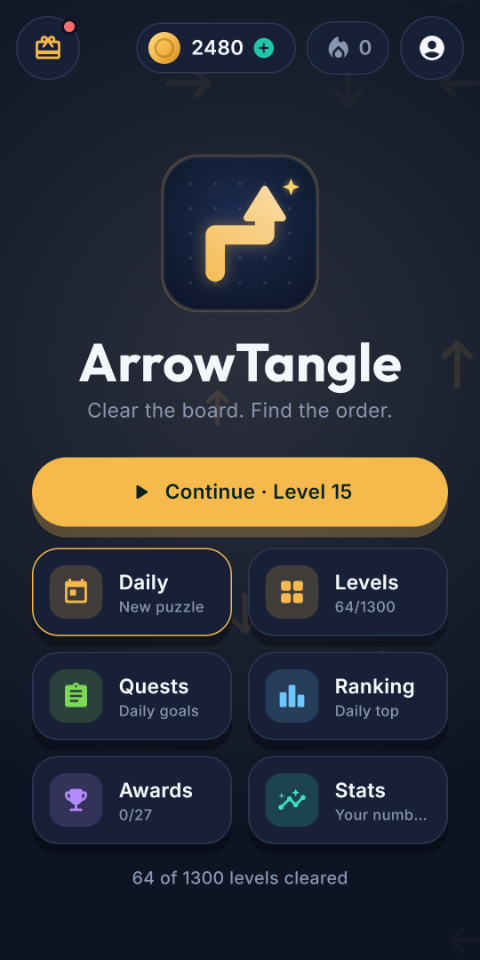
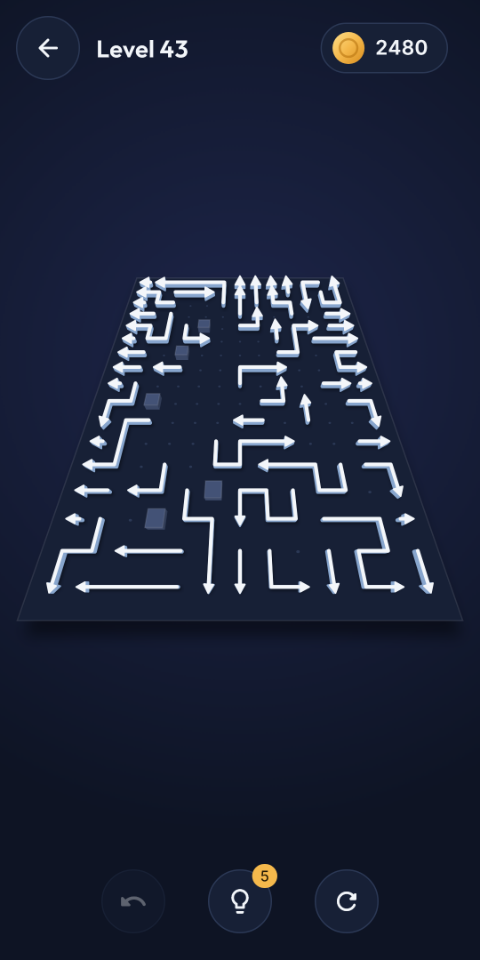
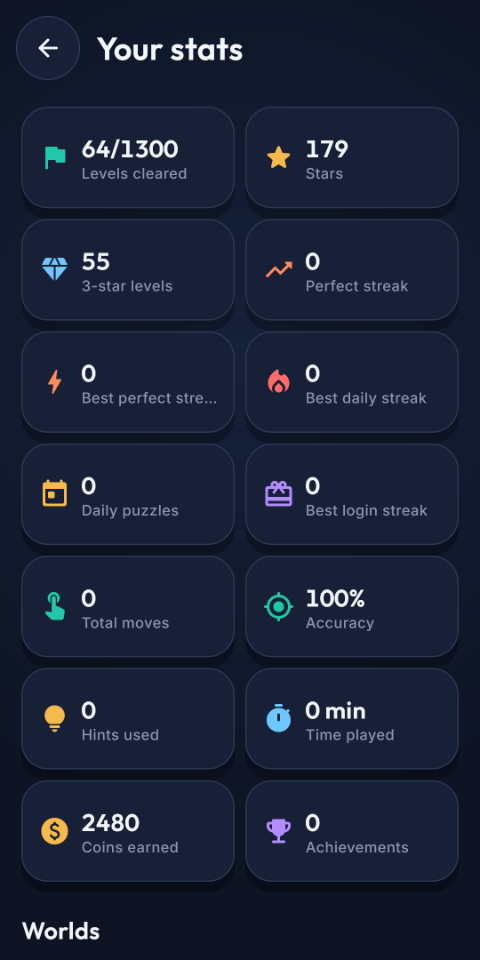
Players tap an arrow to slide it off a 3D board and must find the order that clears every arrow. Included: 1,300 ready-made levels in 26 worlds, a daily puzzle with streaks, quests, 27 achievements, arrow skins, a coin economy, rewarded and interstitial ads, in-app purchases, a Firebase leaderboard with Google or guest sign-in, and 15 language slots.
No server and nothing to generate. The levels are already built into the app and Firebase runs on its free plan. Without any account the game still runs fully offline, so you can play it before you configure anything.
Setup at a glance
Do these in order. Each step is a short section of this page.
| # | Step | What you do |
|---|---|---|
| 1 | Name, icon, package id | Replace the default com.example.arrowtangle id, icon and name |
| 2 | Firebase | Create a project, run one command, switch on sign-in and Firestore, publish the rules |
| 3 | AdMob | Add your app id and two ad unit ids per platform |
| 4 | In-app purchases | Create 4 products in Play Console / App Store Connect |
| 5 | Build & publish | Add legal links, sign the app, build and upload |
Install & Run
| Tool | Version |
|---|---|
| Flutter SDK (stable) | 3.47+ (Dart ^3.13.5) |
| Java | 17 (Android builds) |
| Xcode | 15+ on macOS, iOS target 15.0 (iOS builds) |
Open the project folder in Android Studio or VS Code and run flutter doctor to check your setup.
Get the packages and start the game on a device or emulator:
flutter pub get
flutter runOptional: check everything is healthy:
flutter analyze
flutter test
The first run uses Google test ads and placeholder Firebase values, so the game starts and plays offline with nothing configured. You replace both before publishing (steps 2 and 3).
Project Structure
| Path | What is inside |
|---|---|
| lib/config/app_config.dart | All keys, ad frequency, prices and legal links in one file |
| lib/core/ | Theme and colors, texts and languages, coin economy, arrow skins |
| lib/domain/ | Game rules, solver, hints, level generator and daily puzzle (pure Dart) |
| lib/data/, lib/services/ | Saved data; ads, purchases, sign-in, leaderboard, reminders |
| lib/features/ | One folder per screen |
| assets/levels/, assets/sfx/ | The 1,300 levels and 15 sound effects |
State is handled with flutter_bloc, navigation with go_router, saves with shared_preferences. Every service (ads, store, sign-in, leaderboard) has an offline stand-in, which is why the game runs with no accounts.
1. Name, Icon & Package ID
App name
The name is ArrowTangle. To change it, edit these:
- android/app/src/main/AndroidManifest.xml:
android:label - ios/Runner/Info.plist:
CFBundleDisplayNameandCFBundleName - lib/core/localization/translations.dart:
app_title,rate_app,share_msg, then search the project for any otherArrowTangletext
Do not rename the string arrow-quest-daily in lib/domain/daily/daily_puzzle.dart. It seeds the daily puzzle, and changing it changes every daily board.
Package ID
Replace com.example with your own domain; Google Play rejects com.example ids. Change it in all three places, and use the same id everywhere:
- Android:
applicationIdin android/app/build.gradle.kts - iOS: bundle identifier in Xcode (open
ios/Runner.xcworkspace, Runner > Signing & Capabilities) - Purchase checks:
PLAY_PACKAGE_NAME(see Build & Publish)
Icon & splash
Replace the images in assets/icon/ keeping the same file names (icon.png 1024 x 1024 without transparency, icon_foreground.png, splash.png), then run:
dart run flutter_launcher_icons
dart run flutter_native_splash:create
2. Firebase
Firebase provides the leaderboard, guest and Google sign-in, cloud save and crash reports. It runs on the free Spark plan and needs no Cloud Functions or server.
The package ships with placeholder Firebase values in lib/firebase_options.dart, android/app/google-services.json and .firebaserc. Until you finish this step the game treats Firebase as not configured and runs offline.
Create a project at console.firebase.google.com, then install the tools:
npm install -g firebase-tools
dart pub global activate flutterfire_cli
firebase loginLink the app. Pick your project and the Android and iOS platforms; it reads the package id you set in step 1 and rewrites lib/firebase_options.dart, google-services.json and the iOS config:
flutterfire configureIn the console: Authentication > Sign-in method: enable Anonymous and Google. Firestore Database: create a database.
Open .firebaserc and put your project id in "default", then publish the security rules:
firebase deploy --only firestore:rulesCopy the Web client id (Authentication > Sign-in method > Google) into googleWebClientId in lib/config/app_config.dart, or pass it as GOOGLE_WEB_CLIENT_ID when building.
Android: add your SHA-1 and SHA-256 fingerprints (debug and release; also Play App Signing, once you upload) under Project settings > Your apps, then run flutterfire configure again. Google sign-in fails without them.
iOS: confirm GoogleService-Info.plist is in the Runner target, and add its REVERSED_CLIENT_ID as a URL scheme in ios/Runner/Info.plist.
Optional: in the console enable Crashlytics and set a budget alert.
What the rules protect: a leaderboard score is accepted only from the signed-in player with valid stars (1-3), time and name, and the score formula must match; cloud saves are private to their owner; invite rewards are capped. They are in firestore.rules.
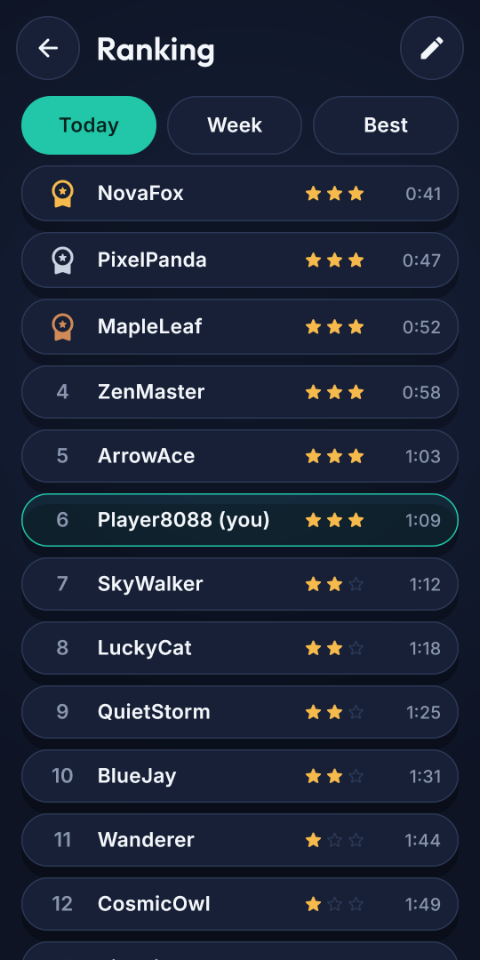
If Firebase is not configured the game does not crash. It logs "Firebase not configured" and the Ranking screen shows only the player's own results with an Offline banner.
3. AdMob
The game shows rewarded video (hints, double coins, free coins) and interstitials between levels. It ships with Google test ad units, which are safe while developing and must be replaced before release.
Create the app in AdMob for each platform and copy the app id (looks like ca-app-pub-123~456).
Android: replace the value of com.google.android.gms.ads.APPLICATION_ID in android/app/src/main/AndroidManifest.xml.
iOS: replace the value of GADApplicationIdentifier in ios/Runner/Info.plist (it currently holds Google's test id):
<key>GADApplicationIdentifier</key>
<string>ca-app-pub-123~456</string>Create one rewarded and one interstitial ad unit per platform and pass them when building (see the list of values in Build & Publish).
Optional: tune how often ads show in lib/config/app_config.dart:
static const interstitialEvery = 4;         // every 4th cleared level
static const interstitialFromCleared = 8;   // never before 8 cleared levels
static const maxRewardedPerDay = 10; // daily capFor players in the EU and UK, add Google's consent message (UMP) before release.
Players who buy Remove Ads or Premium never see interstitials. Rewarded videos are always optional.
Never tap your own live ads. Keep the test ids while developing, or AdMob may suspend your account.
4. In-App Purchases
Create these four products with exactly these ids in Play Console (Monetize > In-app products) and App Store Connect, and make them active.
| Product id | Type | Gives the player |
|---|---|---|
remove_ads | Non-consumable | No interstitial ads |
premium_pass | Non-consumable | No ads, 2x coins, 10 hints, Royal Gold and Neon skins |
coins_500 | Consumable | 500 coins |
coins_1500 | Consumable | 1,500 coins |
Upload a build to an internal testing track and install it from Google Play. Purchases do not work in a normal debug install.
Add your Gmail address as a license tester to buy for free while testing.
Recommended: pass your Play licensing key (Play Console > Monetization setup) as PLAY_LICENSE_KEY so the app verifies every receipt signature.
Different ids or coin amounts? Edit the product* and coinPacks constants in lib/config/app_config.dart. "Restore purchases" is already in Settings, as the stores require.
5. Build & Publish
Legal links
Host a privacy policy and pass its address as PRIVACY_URL. It must mention AdMob (ads), Firebase (sign-in, leaderboard, crash reports) and Google Play / App Store purchases. Stores also require an account-deletion URL; the in-app flow already exists (Settings > Account > Delete account). In the Play data-safety form declare: device or account ids, purchase history, crash logs and ad data.
Sign the Android app
Create an upload key:
keytool -genkey -v -keystore upload-keystore.jks -keyalg RSA -keysize 2048 -validity 10000 -alias uploadCopy android/key.properties.example to android/key.properties and fill in the passwords. The build picks it up automatically. Never share this file.
Build
flutter build appbundle --release \
  --dart-define=PRIVACY_URL=https://your-site.com/privacy \
  --dart-define=SUPPORT_EMAIL=you@example.com \
  --dart-define=ADMOB_REWARDED_ANDROID=ca-app-pub-xxx/111 \
  --dart-define=ADMOB_INTERSTITIAL_ANDROID=ca-app-pub-xxx/222 \
  --dart-define=GOOGLE_WEB_CLIENT_ID=xxx.apps.googleusercontent.com \
  --dart-define=PLAY_PACKAGE_NAME=com.yourcompany.arrowtangle \
  --dart-define=PLAY_LICENSE_KEY=your_base64_key
Output: build/app/outputs/bundle/release/app-release.aab. For iOS run flutter build ipa --release with the iOS values (ADMOB_REWARDED_IOS, ADMOB_INTERSTITIAL_IOS).
| Option | Required? | Purpose |
|---|---|---|
ADMOB_REWARDED_ANDROID / _IOS | Yes | Your rewarded ad unit |
ADMOB_INTERSTITIAL_ANDROID / _IOS | Yes | Your interstitial ad unit |
PRIVACY_URL, TERMS_URL | Privacy: yes | Links shown in Profile and the welcome screen |
SUPPORT_EMAIL | Recommended | Support contact |
GOOGLE_WEB_CLIENT_ID | If not edited in the file | Google sign-in |
PLAY_PACKAGE_NAME | Yes | Must equal your applicationId |
PLAY_LICENSE_KEY | Recommended | Verifies purchase receipts |
STORE_URL | Recommended | Store link added to share and invite messages |
Before you upload
- Sample Firebase project replaced with yours, rules published
- Real AdMob app id (Android and iOS) and ad units in place
- Four in-app products created and active; tested with a license tester
- Package id changed everywhere; icon and name replaced
- Played 20 levels on a real phone, plus: guest start, Google sign-in, restore on a second device, a rewarded ad, a purchase and restore, airplane mode
- Release on an internal testing track first, then closed, then production
Colors, Texts & Languages
Colors and fonts
Every color is a token in lib/core/theme/tokens.dart, with a dark and a light palette. Change a value once and the whole app follows. Fonts are Outfit and Inter in assets/fonts/.
#0E1424
#172036
#22C7A9
#F5B94C
#FF6B6B
#F3F6FA
Texts and languages
All texts are in lib/core/localization/translations.dart (one block per language code, used as context.tr('key')). Missing keys fall back to English. The language list is in lib/core/localization/app_localizations.dart.
Complete texts exist for English, Bengali and Hindi. The other 12 listed languages (Urdu, Turkish, Arabic, Spanish, Portuguese, French, German, Italian, Japanese, Korean, Chinese, Russian) are registered but show English until you add a block for them. To add one, copy the en block, change the code, and translate.
Levels, Economy & Skins
Levels
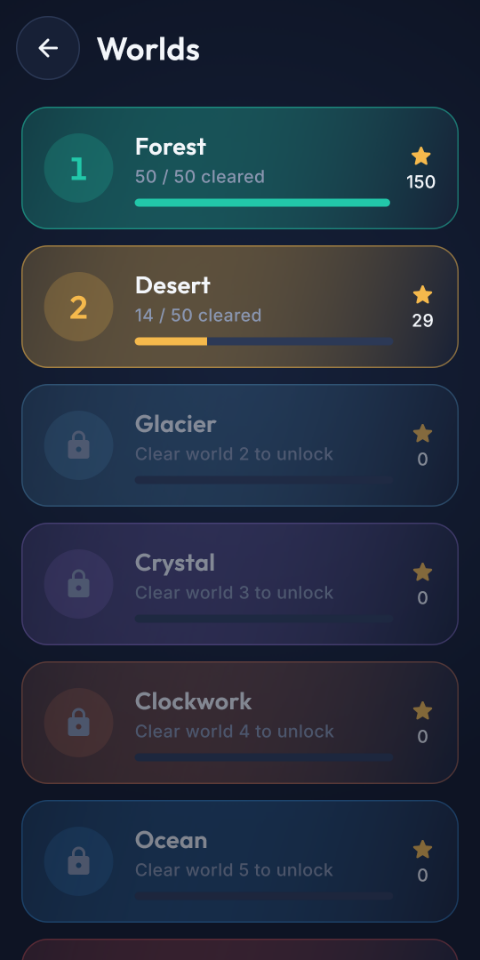
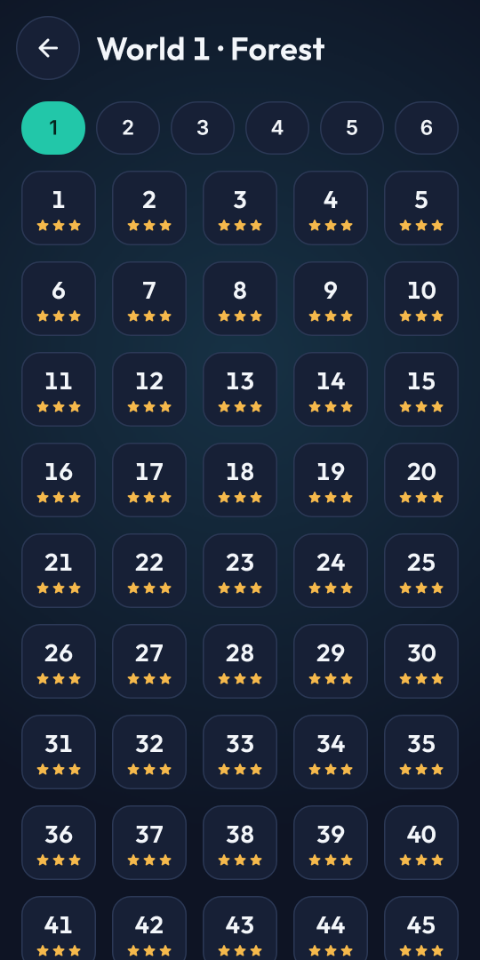
26 worlds of 50 levels (1,300) are included and verified solvable. You do not need to generate anything. Each world is a plain JSON file in assets/levels/, so you can inspect or replace levels directly. Do any level edits before release, because changing level ids would reset players' progress.
Economy
| Reward | Value |
|---|---|
| Level clear | 10 coins + 5 per star + 5 for a perfect run; +25 every 5th perfect clear |
| Daily puzzle | 40 + 10 per star |
| 7-day login reward | 20, 30, 40, 50, 75, 100, 150 coins; day 7 also gives 3 hints |
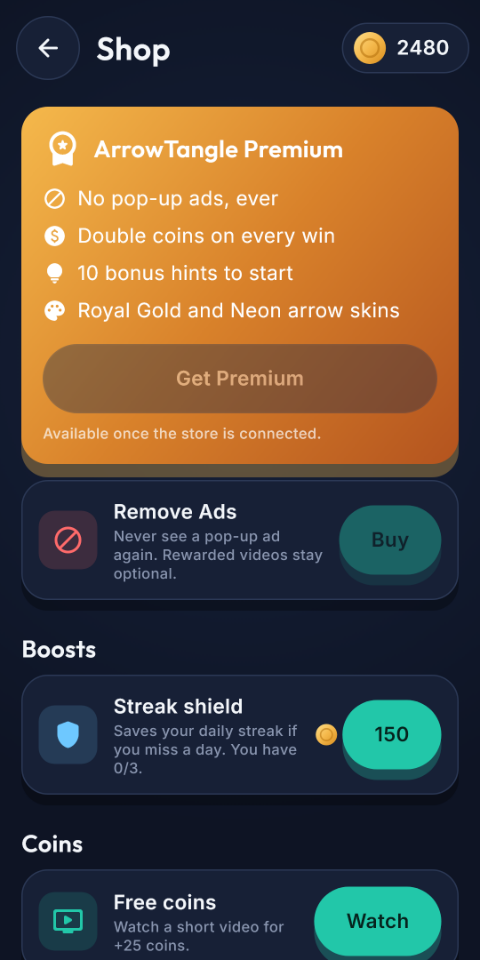
| Premium | Doubles every coin reward |
| Hint / streak shield | 40 / 150 coins |
Rewards are in lib/core/economy/economy.dart; prices and limits in lib/config/app_config.dart. Stars: 3 for no mistakes and no hints, 2 for at most 2 mistakes and 1 hint, otherwise 1.
Arrow skins and sound
Seven skins (Classic, Coral, Ocean, Sakura, Lime, and Premium-only Royal Gold and Neon) are listed in lib/core/economy/skins.dart; add one and it appears in the shop. Sound effects are WAV files in assets/sfx/; replace any file with your own using the same name.
Features & Screens
| Feature | Details |
|---|---|
| Gameplay | Tap an arrow to slide it out if its path is clear; a blocked arrow is a mistake. Undo, restart, hints and an optional path preview. Stones and shaped boards in later worlds. |
| Progression | 26 worlds, 1,300 levels, 3-star ratings, worlds unlock as you go |
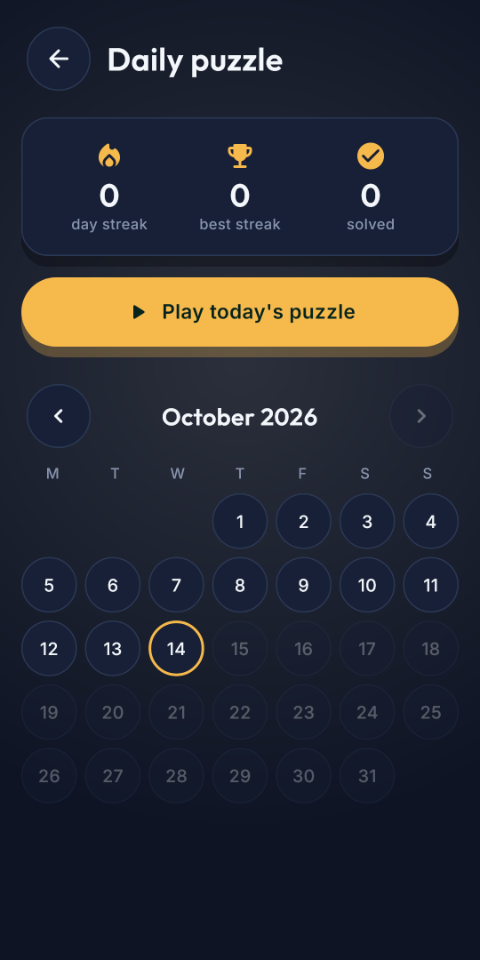
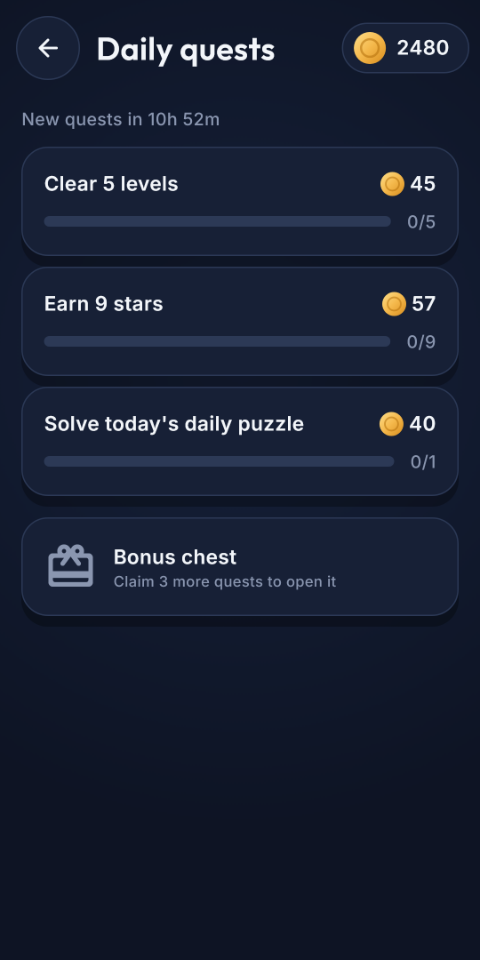
| Daily | A new puzzle every day with calendar, streaks, streak shield, 3 daily quests and a 7-day login reward |
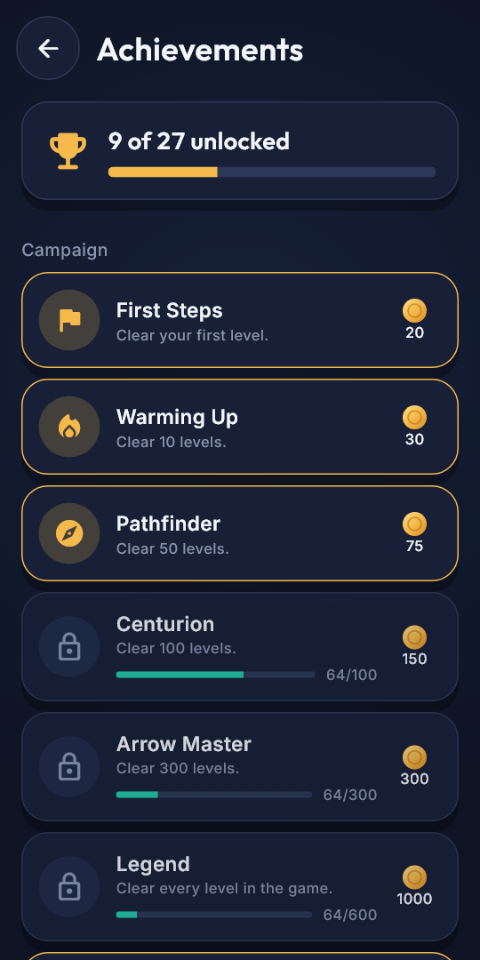
| Achievements | 27 achievements with coin rewards |
| Ranking | Daily, weekly and best leaderboards through Firebase |
| Shop | Premium, Remove Ads, coin packs, free-coin video, streak shield and skins |
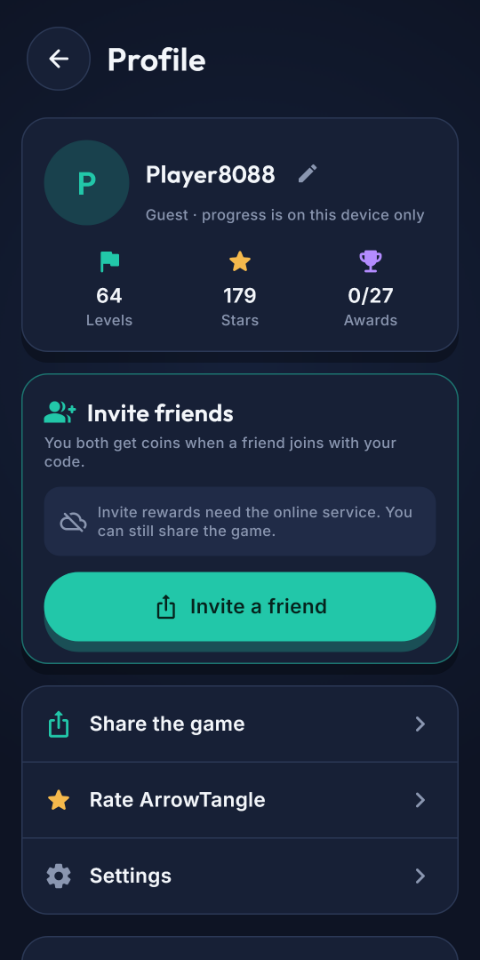
| Accounts | Guest or Google sign-in, cloud backup, delete account |
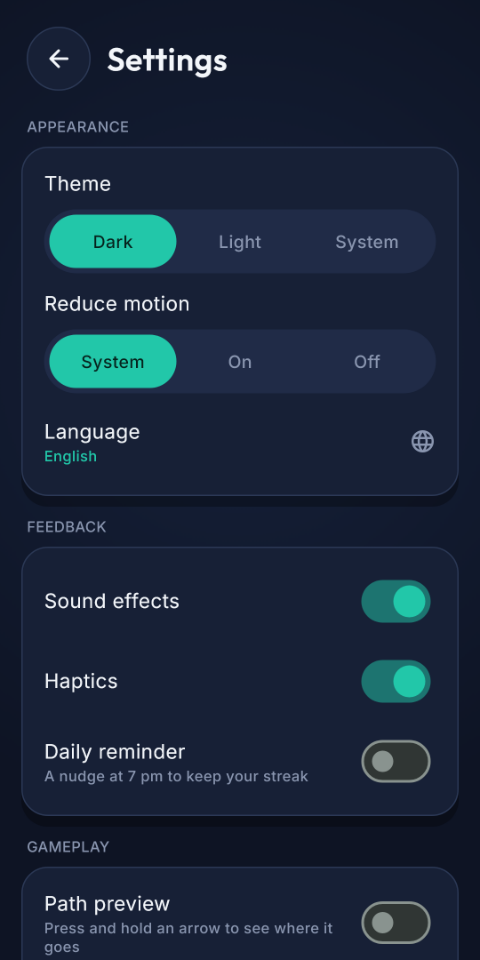
| Settings | Theme, reduced motion, language, sound, haptics, daily reminder, path preview |
Troubleshooting
| Problem | Fix |
|---|---|
| Ranking says "Offline" | Firebase is not configured, Anonymous sign-in is off, the rules are not published, or there is no network. |
| Google sign-in fails in release only | Add the release (and Play App Signing) SHA-1 and SHA-256 to Firebase, then run flutterfire configure again. |
| iOS app closes on start | The AdMob app id in Info.plist is malformed, or GoogleService-Info.plist is in the wrong place after flutterfire configure. |
| Purchases say "item not found" | Install from a Play testing track; the product ids must match exactly and be active. |
| Ads do not load | Check the ad unit ids and wait some minutes after creating them. Use test ids while developing. |
| Build fails after changing the package id | Run flutterfire configure again, then flutter clean and flutter pub get. |
Achievement names show as ach_..._title | A translation key is missing from translations.dart; add every ach_<id>_title key to each language block you ship. |
Support
Need help? Reach out to our support team.
Support Email: vertexstation@gmail.com
Please include your item purchase code, a clear description of the problem and any error output.